

Description
Product Carousel Slider & Grid Ultimate for WooCommerce lets you show your products in a responsive product carousel, product slider or product grid anywhere on your store. Pick the products, choose a layout, see it in the live preview, then place it with a shortcode, a Gutenberg block or an Elementor widget.
Use it to show featured products on your homepage, latest products in a slider, related products under a post, or a product grid on any landing page. No coding needed.
👉 Pro Version | Documentation | Support 👈
New in 1.15
- Divi module: add a Product Carousel from the Divi builder. Pick a saved carousel or set it up right in the module.
- Beaver Builder module: drag a Product Carousel into your layout, with product and category search and live updates.
- Visual Composer element: add a Product Carousel in Visual Composer Website Builder and see it in the editor.
Free Features
- WooCommerce product carousel, product slider and product grid in one plugin
- 3 carousel layouts and 3 grid layouts
- Swap image on hover
- Fade effect for carousels
- Quick View, so shoppers can see product details without leaving the page
- Show featured, latest or older products
- Gutenberg block and Elementor widget
- Divi module, Beaver Builder module and Visual Composer element
- Shortcode generator for pages, posts, templates and widgets
- Set the number of columns for desktop, tablet and mobile
- Autoplay and slide speed controls
- Touch and swipe support on mobile
- Show or hide the product title, price, rating and add to cart button
- Sale badge with position options
- Color and style options to match your theme
- Live preview while you edit
- Fully responsive
- Translation ready
Pro Features
Product Carousel Slider & Grid Ultimate Pro adds everything you need to sell more from every carousel and grid:
- Variation swatches: show colors, sizes and other options right on the product card. Shoppers pick a variation and add it to the cart without opening the product page. Price and image update with their choice.
- Product video: add a YouTube, Vimeo or MP4 video to any product and play it on the card or in a lightbox. Videos load only when clicked, so pages stay fast.
- Sale countdown and stock bar: show “Ends in 2d 04:12:09” on products with a sale end date and “Only 3 left” on low stock items.
- Image lightbox: clicking a product image opens all its images in a lightbox.
- More carousel effects: coverflow and flip.
- Entrance animations: cards fade up, zoom or slide in as visitors scroll.
- Scheduling and display rules: show a carousel only between two dates, hide it on desktop, tablet or mobile, or show it only to logged in visitors or chosen user roles.
- 15 carousel layouts and 15 grid layouts
- Wishlist button on product cards
- Show on sale, best selling or top rated products
- Show products by ID, SKU, tag, category or date, or in random order
- Custom ribbons and badges
- Excerpt length control
- Hide out of stock products
- Hover effects
- Scroll and marquee modes
- Priority support
Who it’s for
- Store owners who want a featured products slider or a best selling products carousel on the homepage
- Agencies and freelancers building WooCommerce sites with Gutenberg or Elementor
- Fashion and apparel stores that want shoppers to pick colors and sizes from a product grid (Pro)
- Flash sale and Black Friday campaigns that need a sale countdown and scheduled carousels (Pro)
Other products from wpwax
👉 Legal Pages: Privacy policy, terms and conditions, GDPR and cookie consent pages for WordPress
👉 Directorist: WordPress business directory plugin with classified ads listings
👉 Post Grid, Slider & Carousel Ultimate: Show blog posts in grid, carousel and slider layouts
👉 Logo Showcase Ultimate: Responsive logo carousel, slider and grid
Screenshots
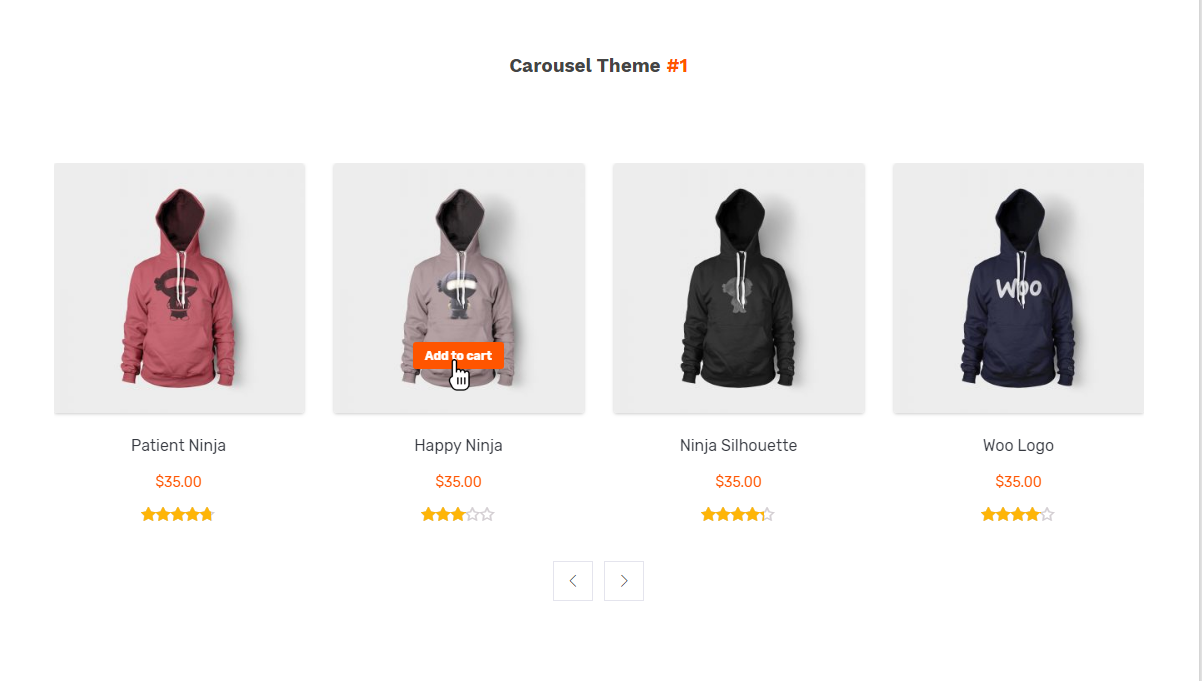
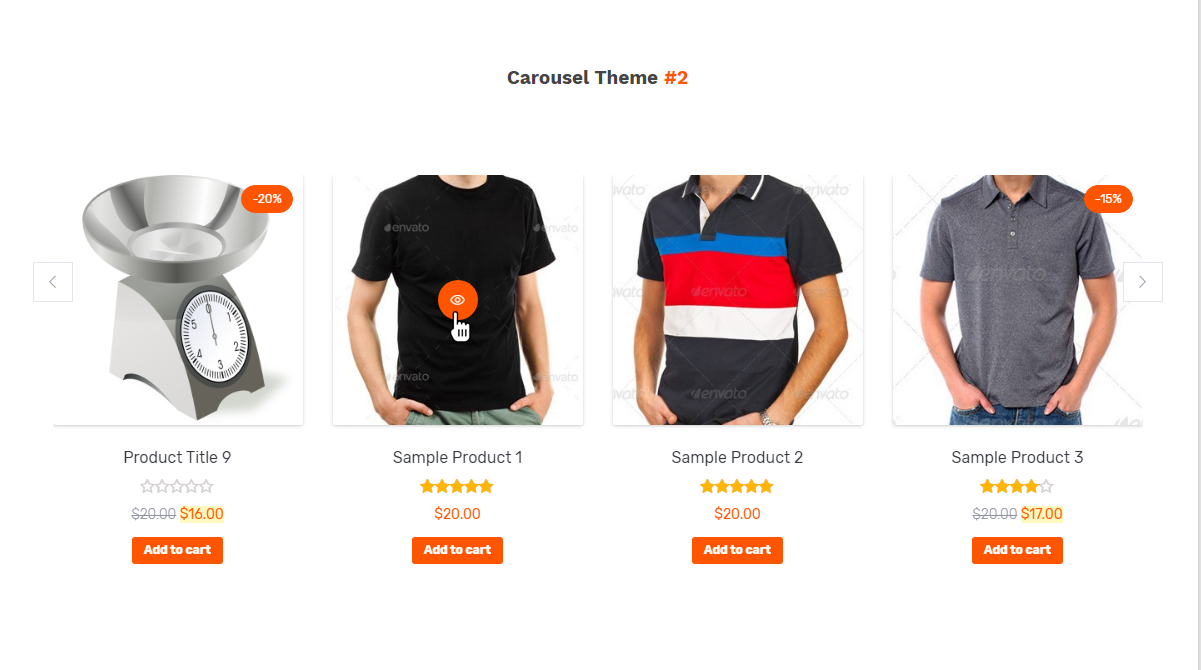
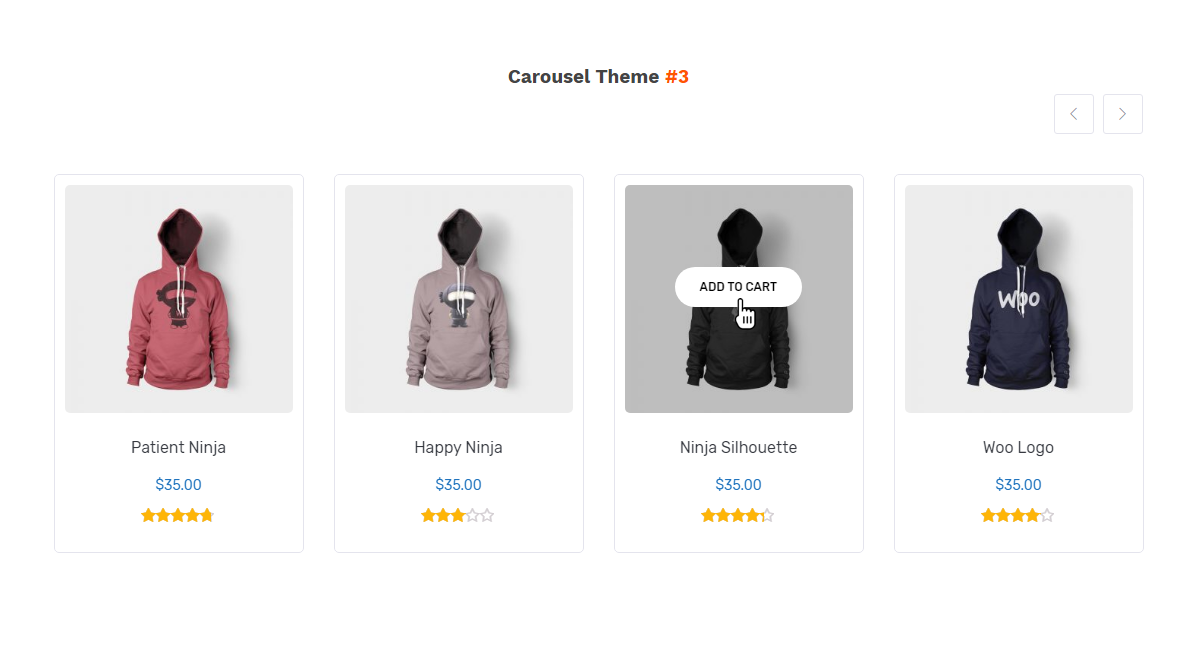
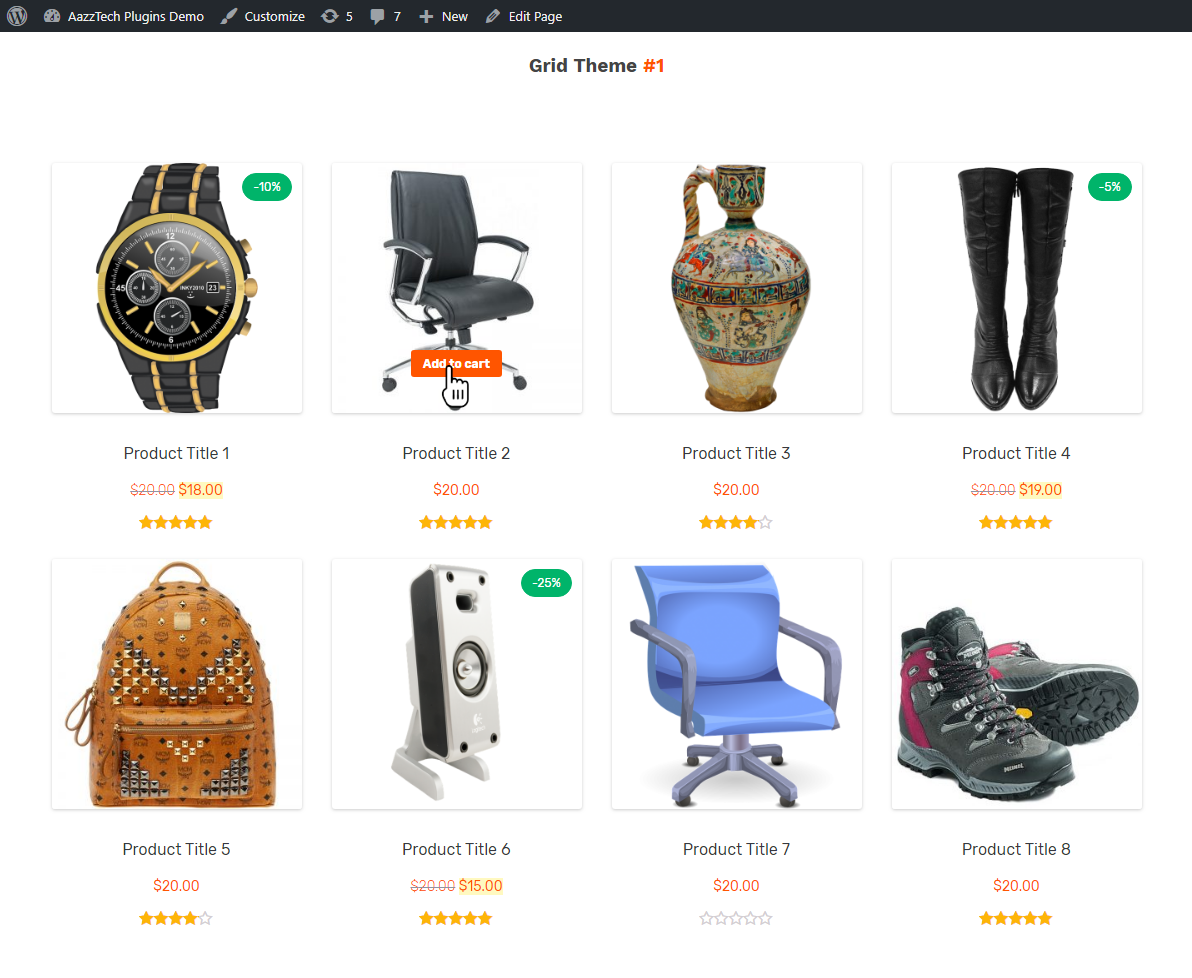
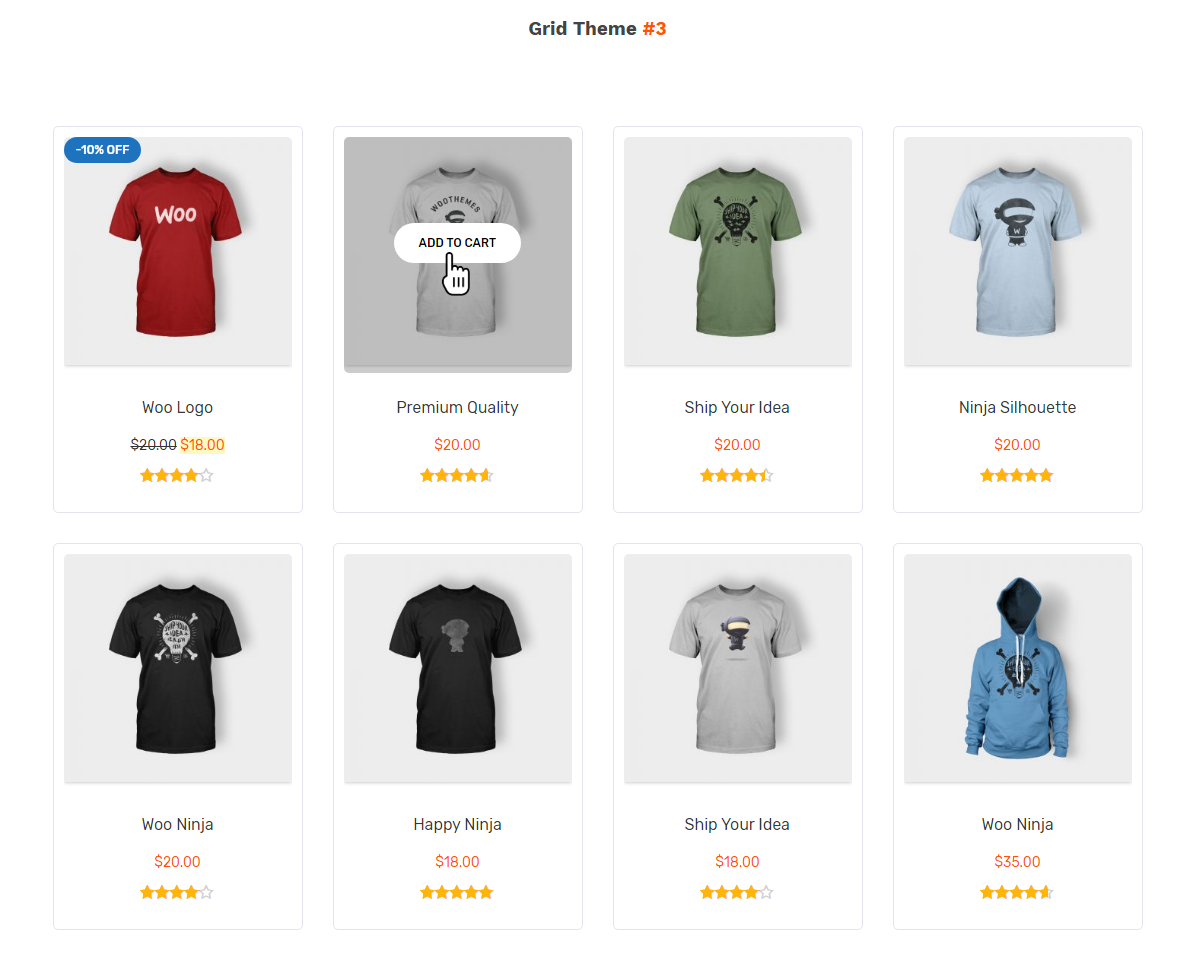
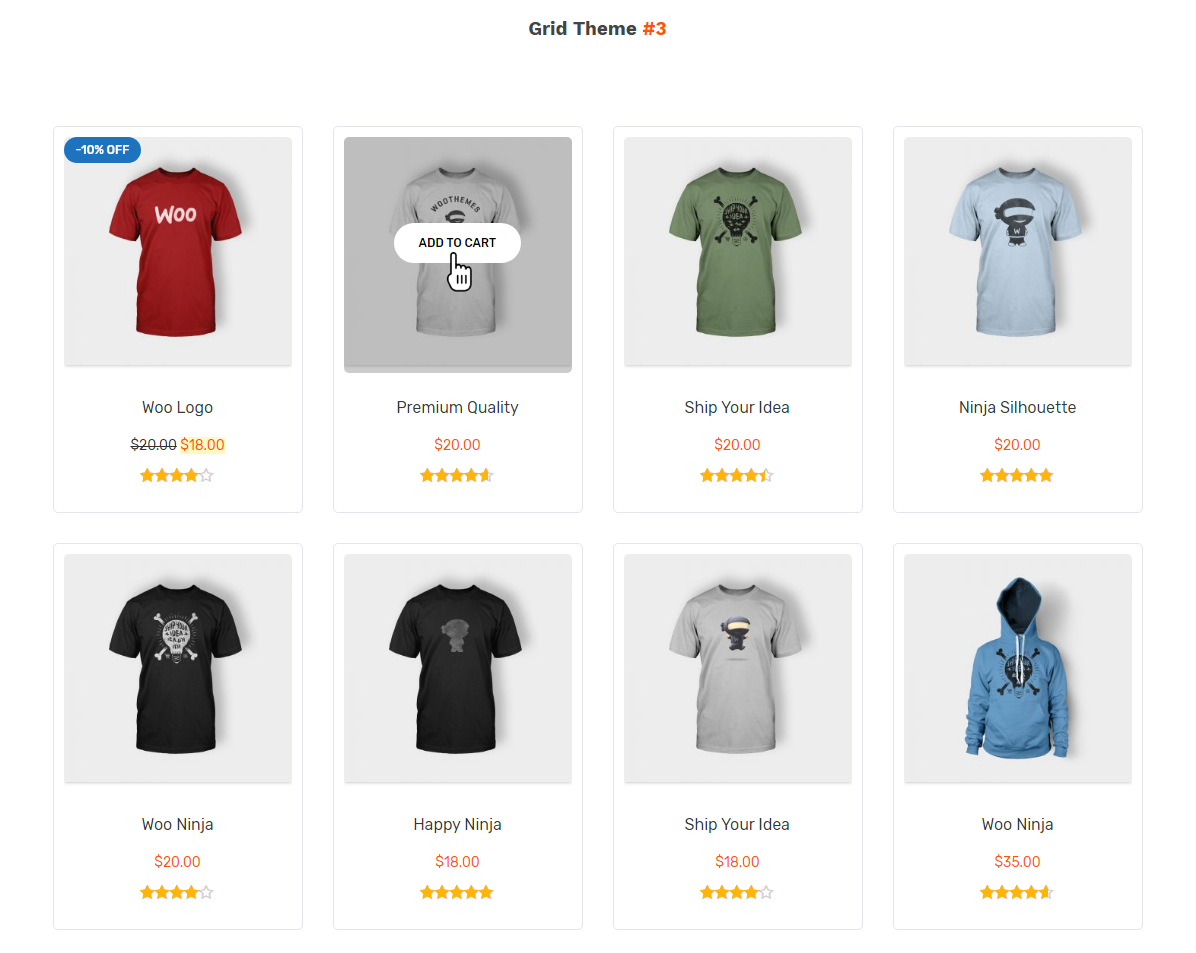
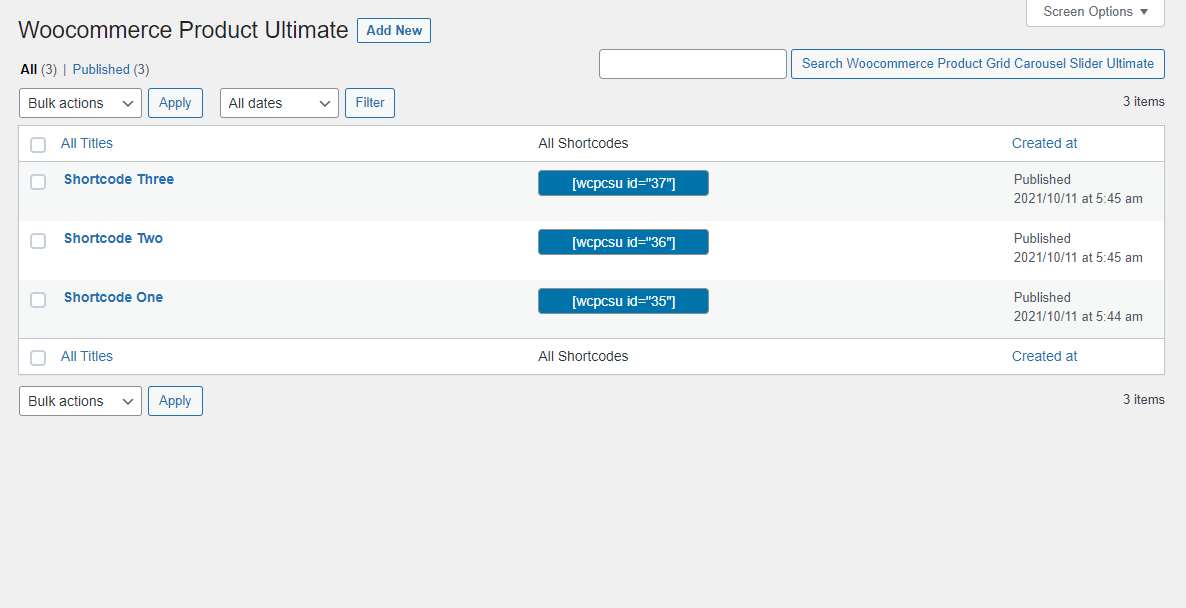
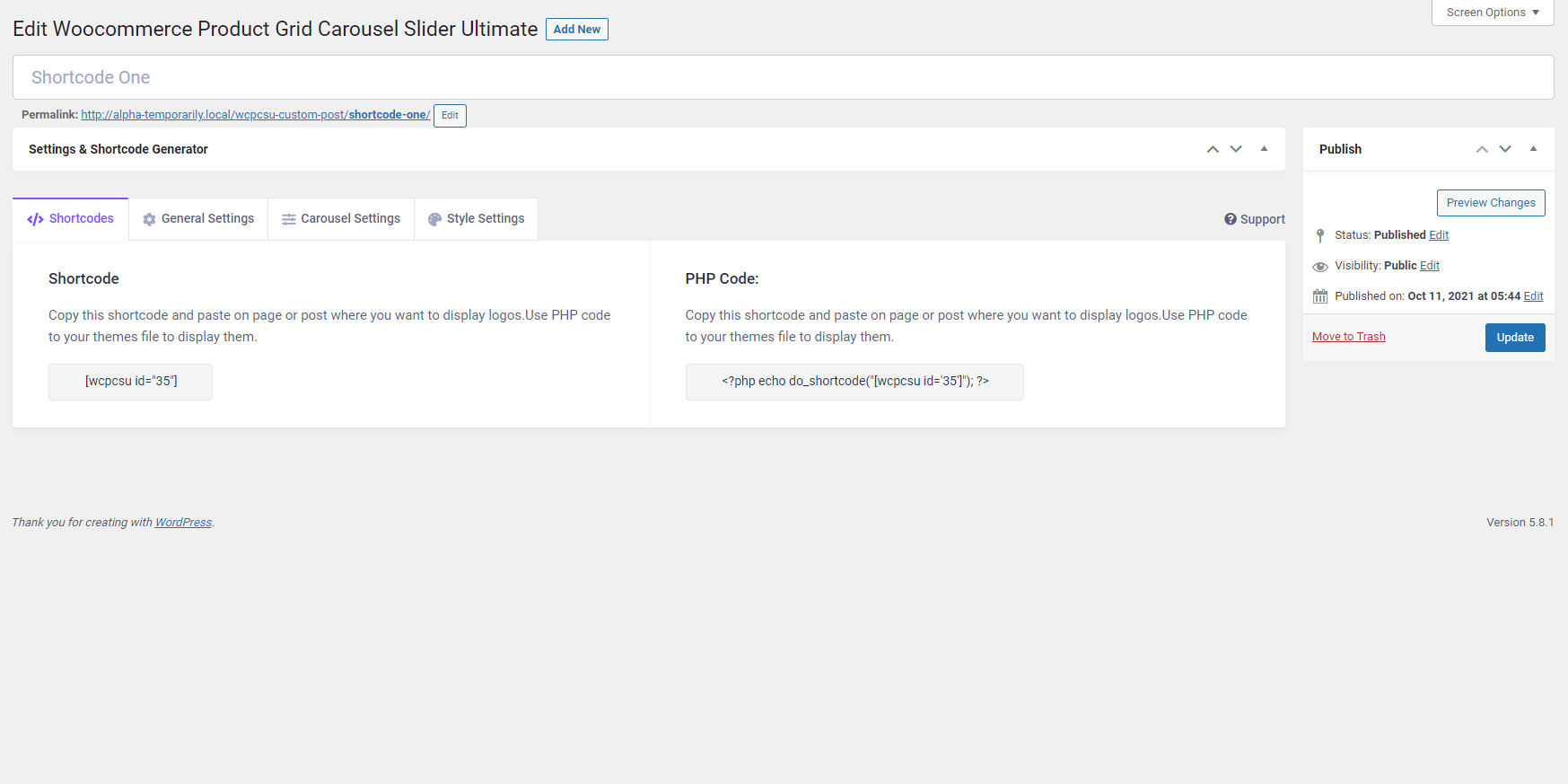
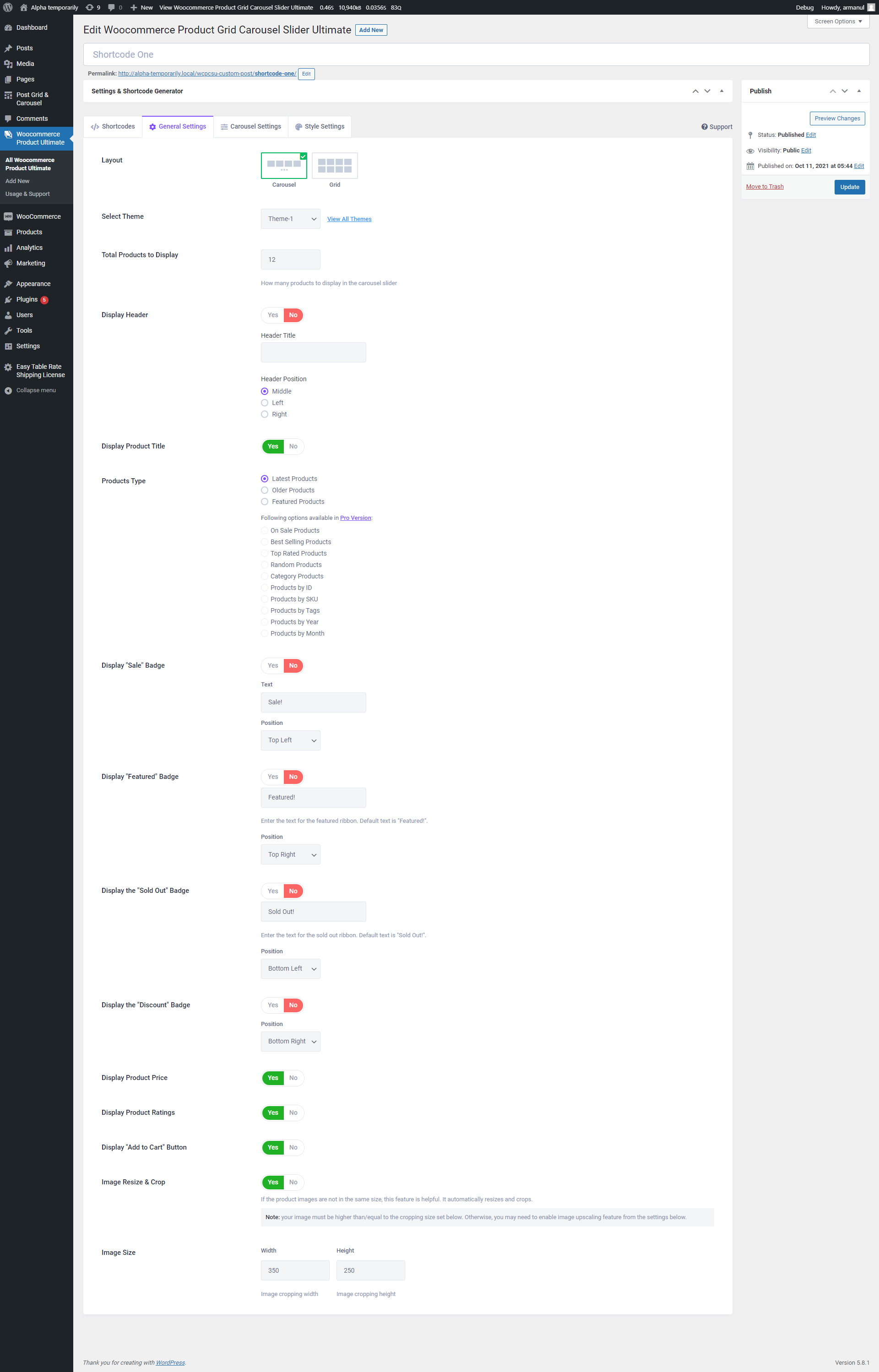
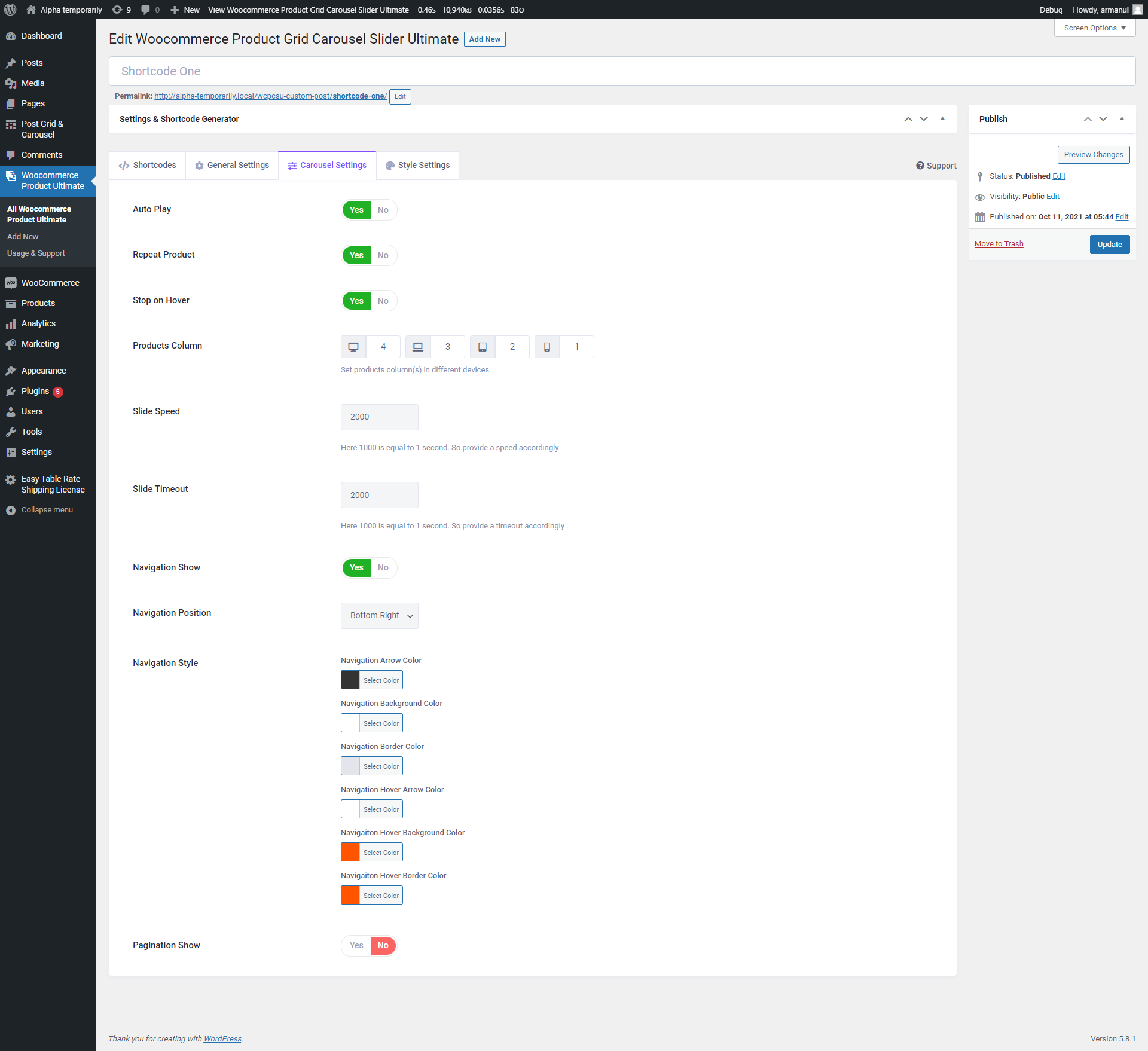
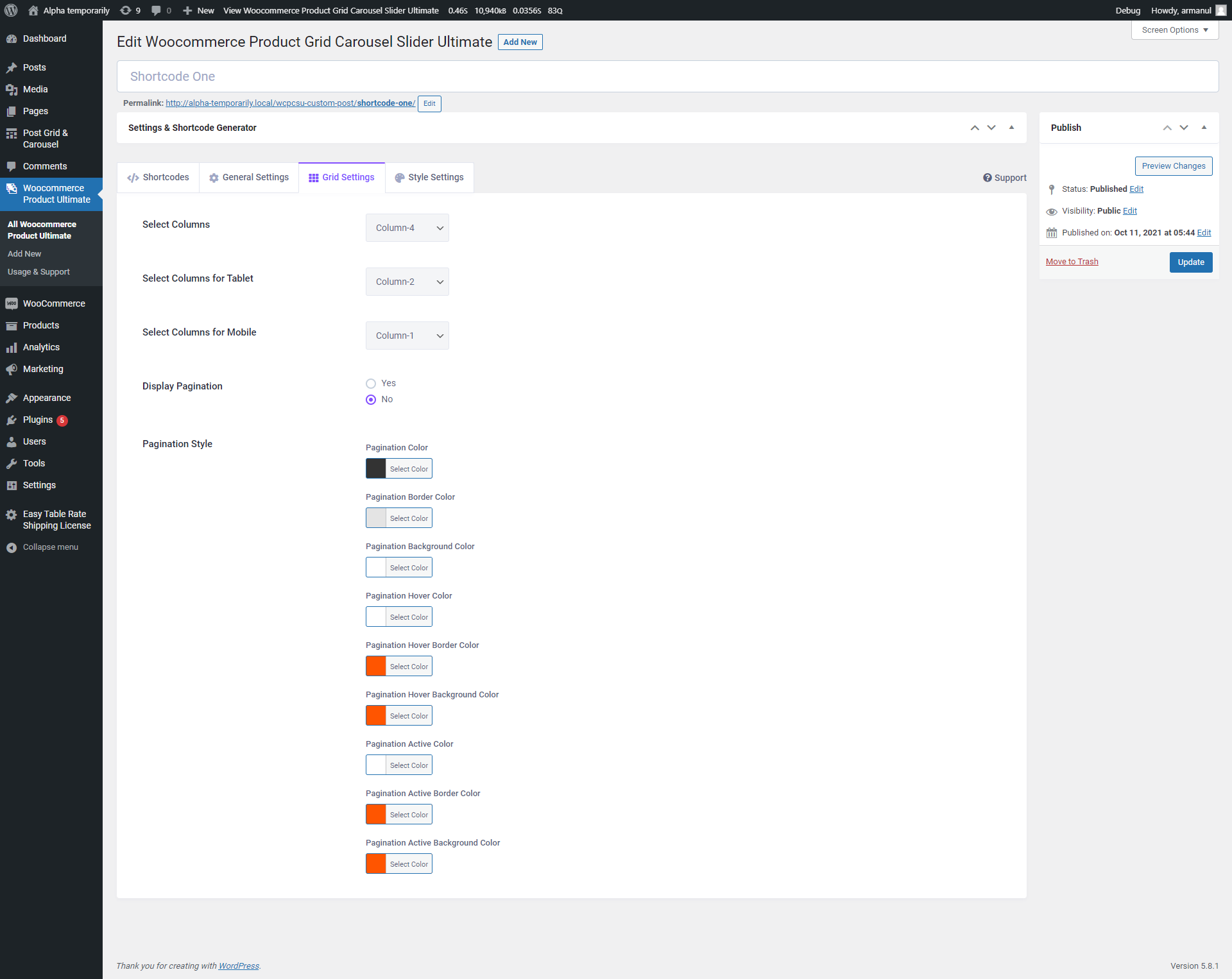
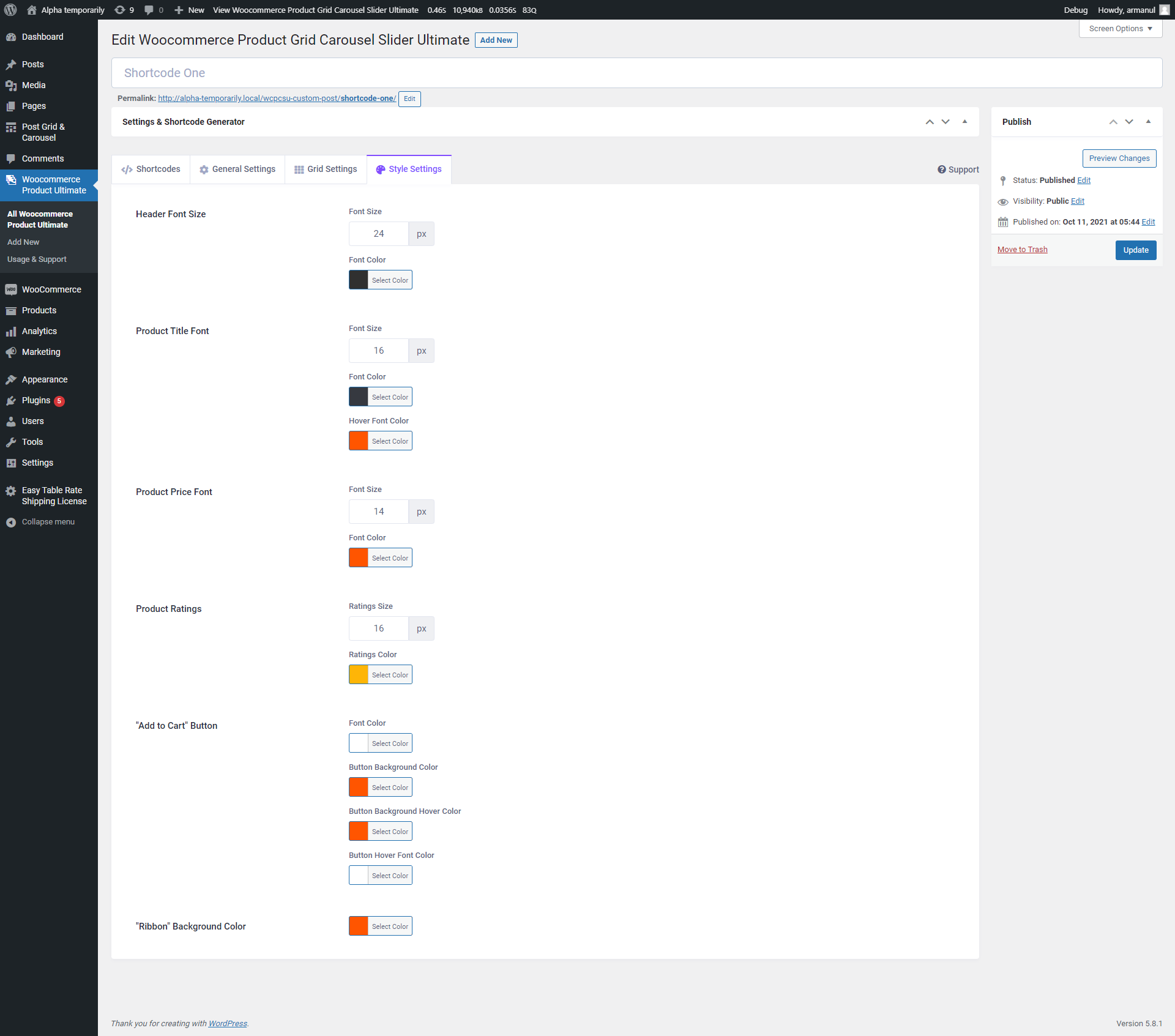
Blocks
This plugin provides 1 block.
- WooCommerce Product Ultimate
Installation
- Go to Plugins > Add New in your WordPress dashboard and search for “Product Carousel Slider & Grid Ultimate”.
- Click Install Now, then Activate.
- Make sure WooCommerce is installed and active.
- Create your first carousel or grid from the plugin menu, then add it to any page with the shortcode, the Gutenberg block or the Elementor widget.
FAQ
-
How do I add a product carousel to my WooCommerce store?
-
Create a new carousel from the plugin menu, choose your products and layout, and save. Then add it to any page with the shortcode, the Gutenberg block or the Elementor widget.
-
Can I show a product grid instead of a carousel?
-
Yes. Every layout can be shown as a product carousel, a product slider or a product grid. Switch between them in the settings.
-
Does it work with Elementor, Gutenberg, Divi and other page builders?
-
Yes. The plugin comes with its own Gutenberg block, Elementor widget, Divi module, Beaver Builder module and Visual Composer element, and the shortcode works in any page builder.
-
How does the swap image on hover work?
-
When a shopper hovers over a product card, the first image from the product’s gallery replaces the main image. Add a gallery image to the product in WooCommerce and turn the option on in the settings or with the
img_hover_swapshortcode attribute. -
Can I change the products of a carousel in the shortcode?
-
Yes. Shortcode attributes override the carousel’s saved settings, so one carousel can be reused with different products:
[wcpcsu id="123" products_type="related"]

products_type accepts: `latest`, `older`, `featured`, `handpicked`, `related`. More product types (on sale, best selling, top rated, upsells, cross-sells, recently viewed, by attribute, by brand and others) are available in the Pro version.
Other useful attributes:
total_products="8",layout="grid",theme="theme_2". -
How do I show handpicked products in my own order?
-
Choose “Handpicked Products” in the carousel settings, search the products and drag them into order. In a shortcode, list the product IDs in order:
[wcpcsu id="123" products_type="handpicked" handpicked_products="12,7,30"] -
They show the products related to the product being viewed, so place the carousel on single product pages (for example in the product’s short description, or with a theme template or hook):
[wcpcsu id="123" products_type="related"]On other pages there is no current product. “When There Is No Current Product” decides what is shown there:
related_fallback="latest"(latest products, the default) orrelated_fallback="none"(nothing; logged-in editors see a short note instead). -
Can shoppers choose a color or size from the product grid?
-
Yes, with Pro. Variation swatches show each variable product’s options on the card, and the add to cart button adds the chosen variation directly.
-
Can I add a video to a product card?
-
Yes, with Pro. Add a YouTube, Vimeo or MP4 link in the “Product video URL” field and a play button appears on the card.
-
Can I schedule a carousel for a sale?
-
Yes, with Pro. Set a start and end date and the carousel only shows during that time, even on cached pages.
-
Will it slow down my site?
-
No. Product videos load only when clicked, and the plugin only loads what each carousel or grid needs.
Reviews


Contributors & Developers
“Product Carousel Slider & Grid Ultimate for WooCommerce” is open source software. The following people have contributed to this plugin.
Contributors
Translate “Product Carousel Slider & Grid Ultimate for WooCommerce” into your language.
Interested in development?
Browse the code, check out the SVN repository, or subscribe to the development log by RSS.
Changelog
1.15.0
- New: Divi module “Product Carousel”: choose a saved carousel or set one up with the module’s own options
- New: Beaver Builder module “Product Carousel” with product and category search, colour pickers and options that follow the chosen layout
- New: Visual Composer Website Builder element “Product Carousel” with a live preview in the editor
- Fix: Console errors from WooCommerce’s order attribution script on Visual Composer pages with a quick view carousel
1.14.0
- New: Swap Image on Hover: the first gallery image of a product shows when the card is hovered (settings, shortcode
img_hover_swap, block and Elementor) - New: Fade effect for carousels: one product at a time, cross-fading (settings, shortcode
carousel_effect="fade", block and Elementor) - Update: Settings screen reorganised: each tab is split into short sections (Layout, Products, Card Content, Badges, …) with a menu, longer help texts open from a “?” next to the option, product types in columns, colour pickers side by side, and each badge on one line
- Update: The live preview can stay at the top of the screen while you scroll through the settings (“Keep in view”)
- Update: Previews of the Pro options (more effects, entrance animations, sale countdown, stock bar, lightbox, product video, variation swatches, display rules) shown as disabled options
- Fix: Saving a carousel garbled non-English text (“Café” became “Cafu00e9”), and a quote (‘) or backslash in a text field made the carousel lose all its settings
- Fix: The “Sale” badge position list showed “Top Left / Top Right” for the bottom positions
1.13.0
- Add: New layouts: List (image beside the details) and Ticker (a row scrolling at a constant speed, with pause on hover and scroll direction), in the settings, block and Elementor
- Add: Live preview on the carousel edit screen: every setting change updates the preview without saving, with Desktop / Laptop / Tablet / Mobile views
- Add: Handpicked products: search products by name or SKU and drag them into the order they should appear in
- Add: Related products of the product being viewed, with a choice of what to show on other pages (latest products or nothing)
- Add: Where a related products carousel has nothing to show, logged-in editors see a short explanation instead of an empty space (visitors see nothing)
- Add: Category filter tabs above a carousel or grid: shoppers switch categories without reloading the page; you choose the categories, their order and the “All” label (shortcode, block and Elementor)
- Add: Grid pagination without page reload (“Ajax Numbers”), with a shortened page list for long lists (1 … 4 5 6 … 10)
- Add: Filtered and paged views have their own link (e.g.
?wpcu_cat=shoes&wpcu_page=2), so they can be shared - Add: Faster carousel engine: Swiper 11 bundled with only the modules in use (about 24 KB gzipped instead of 43 KB); the dots module loads only when dots are enabled
- Add: Carousel scripts and styles load only on pages that show a carousel, in the footer with
defer - Add: Lazy loading for product images after the first row, with responsive
srcset/sizesandwidth/heightattributes - Add: No layout shift while the page loads: card and image space is reserved before the carousel starts
- Update: Frontend no longer needs jQuery; quick view rewritten in plain JavaScript
- Update: Gutenberg block and Elementor previews use the same carousel script as the frontend
- Update: Quick view also works on cached pages and on products loaded by the filter tabs
- Fix: Gutenberg block preview broken in the block editor
- Fix: “Image Resize & Crop” toggle of the Gutenberg block had no effect
- Fix: Dots (pagination) option of the Elementor widget had no effect
- Fix: Quick view modal briefly showing in the page while it loads
- Add: WordPress 7.1 compatibility
- Add: WooCommerce 11.2 compatibility
1.12.0
- Update: Unnecessary changes
1.11.0
- Add: WordPress 6.9 compatibility
- Code cleanup
- Fix: Security issue
- Fix: Frontend style issue
1.10.2
- Fix: Conflict issue with Elementor
1.10.1
- Fix: security issue
- Fix: translate issue
1.10.0
- Add: WordPress 6.7 compatibility
- Fix: security issue
1.9.10
- Fix: woocommerce high-performance order storage issue
1.9.9
- Fix: woocommerce high-performance order storage issue
- Add: WordPress 6.5 compatibility
- Add: WooCommerce 8.8 compatibility
1.9.8
- Fix: Security issue
- Add: WooCommerce 8.6 compatibility
1.9.7
- Add: WordPress 6.4 compatibility
- Add: WooCommerce 8.2 compatibility
1.9.6
- Add: WordPress 6.3 compatibility
- Add: WooCommerce 8.0 compatibility
1.9.5
- Add: WooCommerce 7.7 compatibility
1.9.4
- Fix: Security issue
1.9.3
- Fix: Elementor compatibility issue
1.9.2
- Add: WordPress 6.2 compatibility
- Add: WooCommerce 7.5 compatibility
1.9.1
- Add: WooCommerce 7.4 compatibility
1.9.0
- Add: Elementor support
- Add: Gutenberg support
- Fix: Translate issue
1.8.9
- Add: WordPress 6.1 compatibility
- Add: WooCommerce 7.0 compatibility
1.8.8
- Add: WordPress 6.0 compatibility
- Add: WooCommerce 6.5 compatibility
1.8.7
- Fix: Security issue
- Fix: Naming issue
- Add: WooCommerce 6.1 compatibility
1.8.6
- Add: WordPress 5.9 compatibility
- Add: WooCommerce 6.1 compatibility
- Fix: Lazy loading issue
1.8.5
- Fix: default image issue
1.8.4
- Add: WooCommerce 5.9 compatibility
- Fix: price issue of variable product
1.8.3
- Fix: design issue
1.8.2
- Fix: Currency issue
1.8.1
- Fix: Custom post type issue
1.8.0
- Add: WordPress 5.8 compatibility
- Add: WooCommerce 5.7 compatibility
- Improve: Performance
- Improve: Design
- Fix: Design issues
1.7.6
- Add: WordPress 5.6 compatibility
- Add: WooCommerce 4.8 compatibility
1.7.5
- Add: WordPress 5.5 compatibility
- Add: WooCommerce 4.3 compatibility
1.7.4
- Fix: Carousel issue
1.7.3
- Fix: Conflict issue with WPBakery Page Builder
1.7.2
- Fix: Version issue
1.7.1
- Fix: Version issue
1.7.0
- Add: Autoplay type option
1.6.0
- Add: Quick view icon color customize option
1.5.2
- Fix: Quick view customize option
1.5.1
- Fix: Style related issues
1.5.0
- Add: Quick View hide/show option
1.4.0
- Add: Pagination in Grids
- Fix: Style related issues
1.3.2
- Tweak: Images make clickable
1.3.1
- Fix: Add to cart issue on popup
1.3.0
- Add: Language file
- Add: Option to display title on single line
- Fix: Style issue
- Tweak: Improved cropping system
1.2.0
- Added: rtl support
- Fixed: badge issue
1.1.1
- Fixed: Css issue
1.1.0
- Added: Repeat product option
- Fixed: Css issues
1.0.2
- Tweak: Improved some code
- Fixed : Navigation issue
1.0.1
- Fixed: Style issue
1.0.0
- Initial release